The tenant ledger
Charges, payments and waivers in one running account for each tenancy.
The ledger tells you the whole story of what a tenant owes: every charge, payment and waiver, with one balance at the bottom. Open it from a lease's Ledger tab, or click Ledger in the sidebar to see every tenancy at once.
On a lease
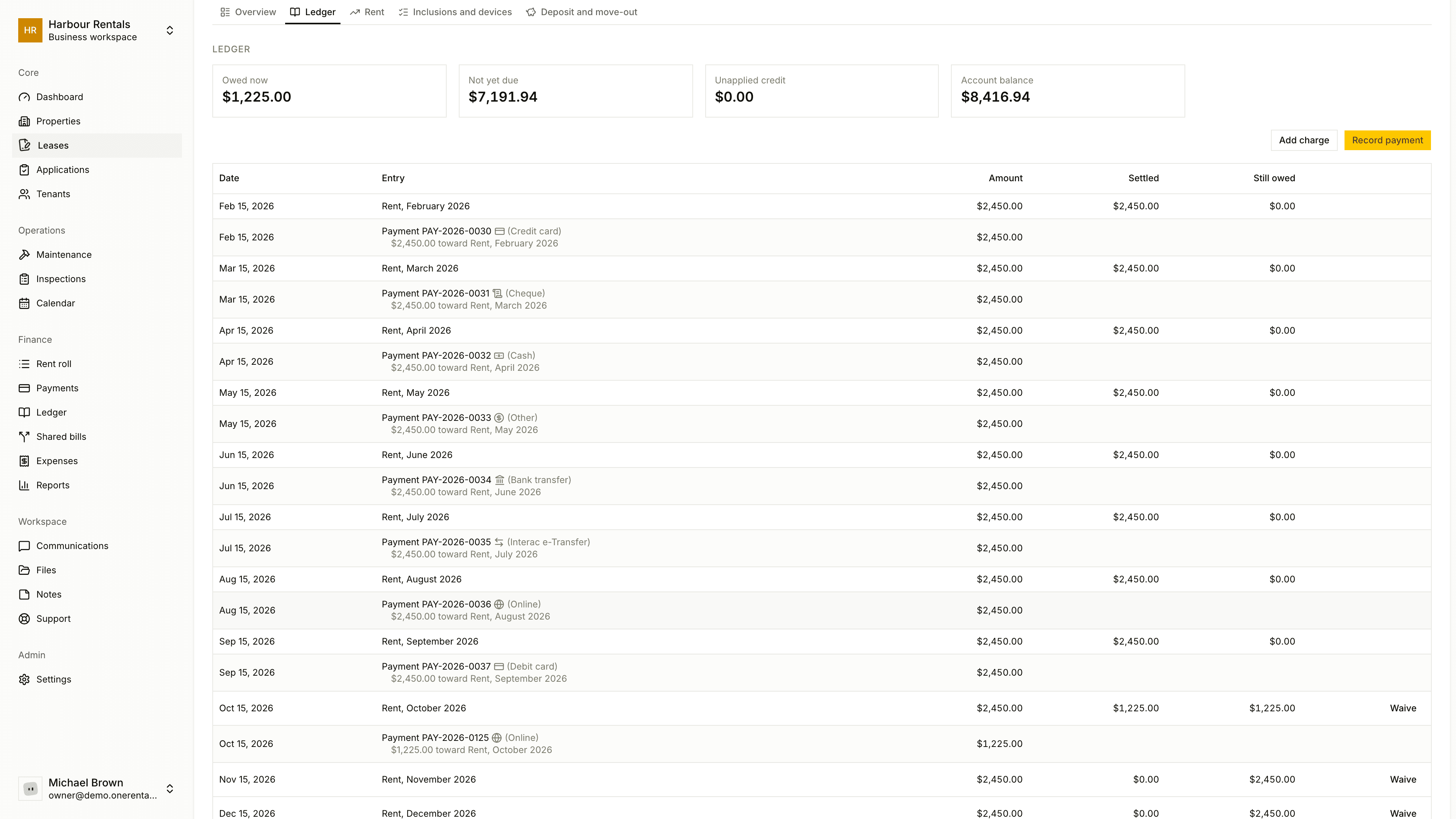
- Rent is charged for you each month from the rent schedule. If a lease starts between rent days, the first month is a short one, charged by the day.
- Add charge is for a utility, cleaning, damage, a late fee or anything else. Choose the kind and add a description, amount and due date.
- Record payment asks how much came in and which charges it covers. Anything paid ahead shows as Unapplied credit.
- Reverse cancels a charge you added by mistake. It stays on the ledger, marked reversed, with your reason. You can't reverse a rent charge, or a charge that already has a payment on it.
If you don't want to collect a charge, you can waive it instead of reversing it.
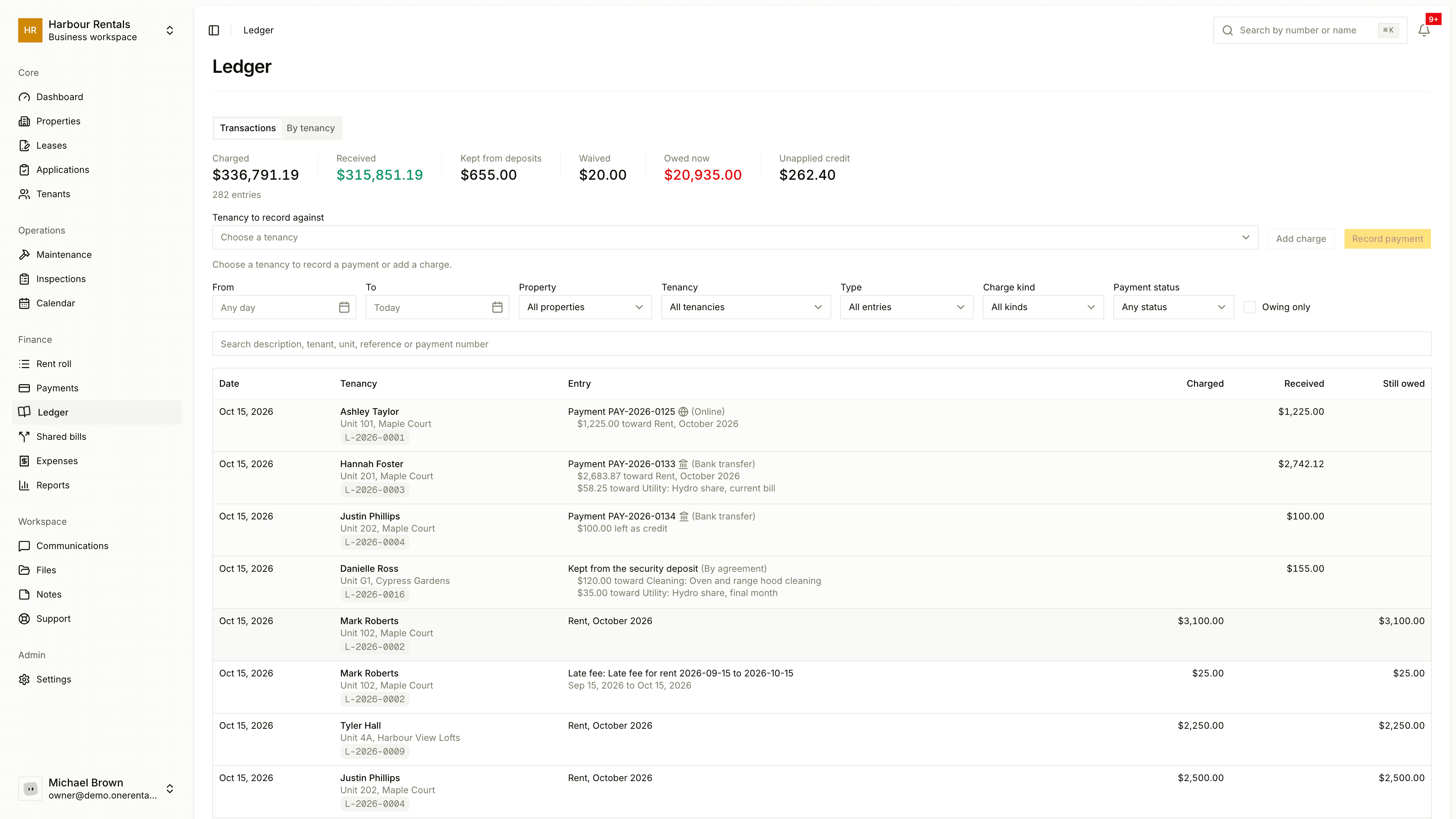
On the Ledger page
The Transactions tab lists every entry, newest first, with Charged, Received, Kept from deposits, Waived, Still owed and Unapplied credit at the top. Filter by date, property, tenancy, type, charge kind or payment status, or tick Owing only. The By tenancy tab gives you one line per tenancy.
The balance
The balance is everything charged, less what's been paid and waived. When a tenant's paid more than they owe, it reads Account balance (tenant is ahead).
Shared house bills land on the ledger too. See Split a shared bill.