Income statement
See what you earned, what you spent and what you kept, month by month.
This is the one to open at tax time, or whenever you're wondering whether you're actually making money. Go to Reports and click Income Statement.
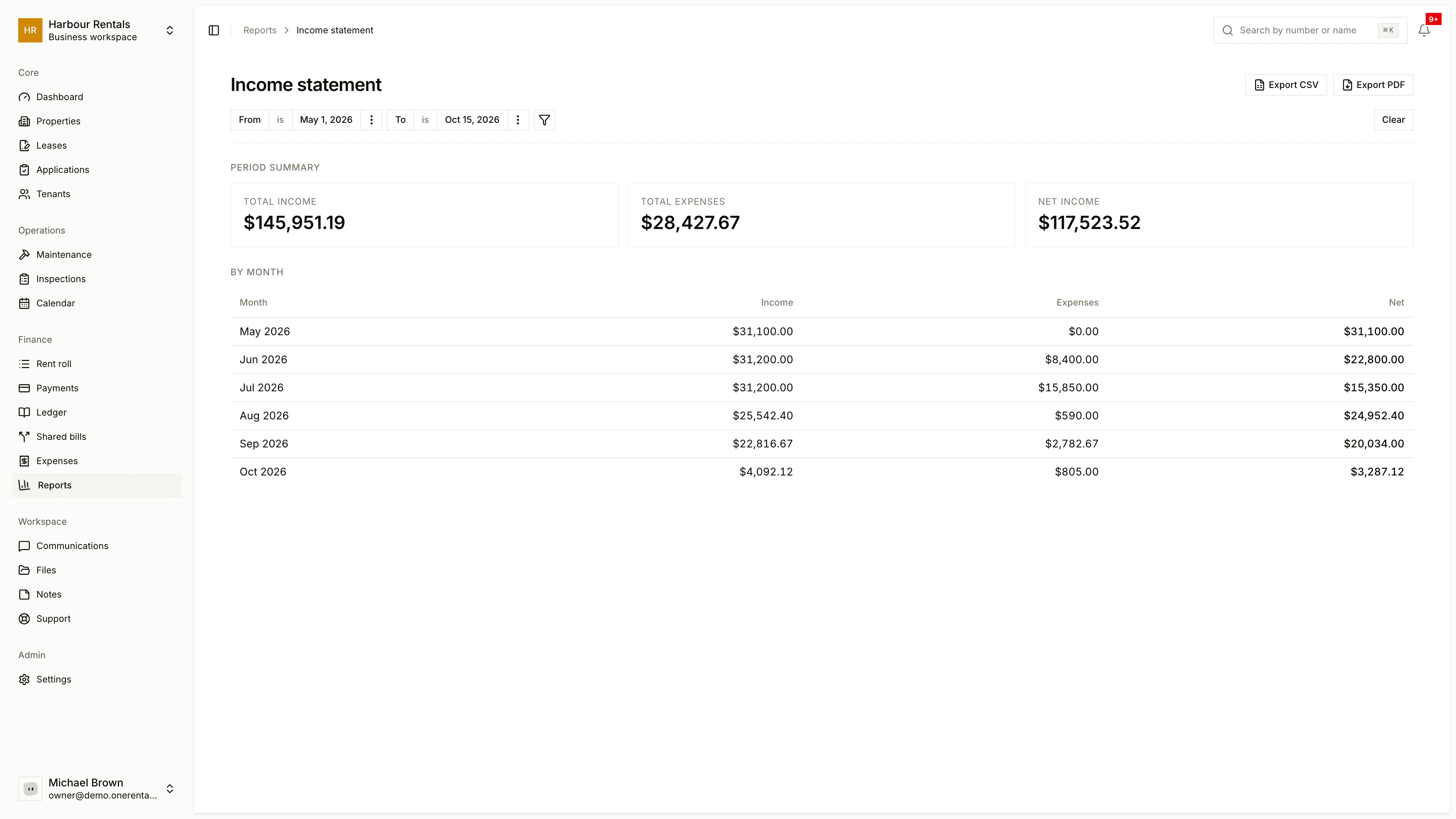
What you see
Period Summary shows Total Income, Total Expenses and Net Income for the dates you picked. Under it, By Month lists income, expenses and net for each month.
Income comes from the payments you've recorded, and expenses from your expenses. Security deposits are money you're holding, not income, so they're left out. See Deposits held.
Change what you see
Use the From and To dates and the Property filter at the top to look at a different period or a single property. Clear resets the filters.
Click Export CSV for a spreadsheet, or Export PDF for a copy to keep or send to your accountant.
If the numbers look off
If a month looks too low, check that all its payments and expenses have been recorded. If there's nothing at all for the period, the page will suggest recording a payment or an expense, or widening the dates.