Record expenses
Keep track of what you spend on your properties so your reports are true.
Record what you pay out, whether it's a plumber, a tax bill or an insurance premium, and your income statement will show what you really keep.
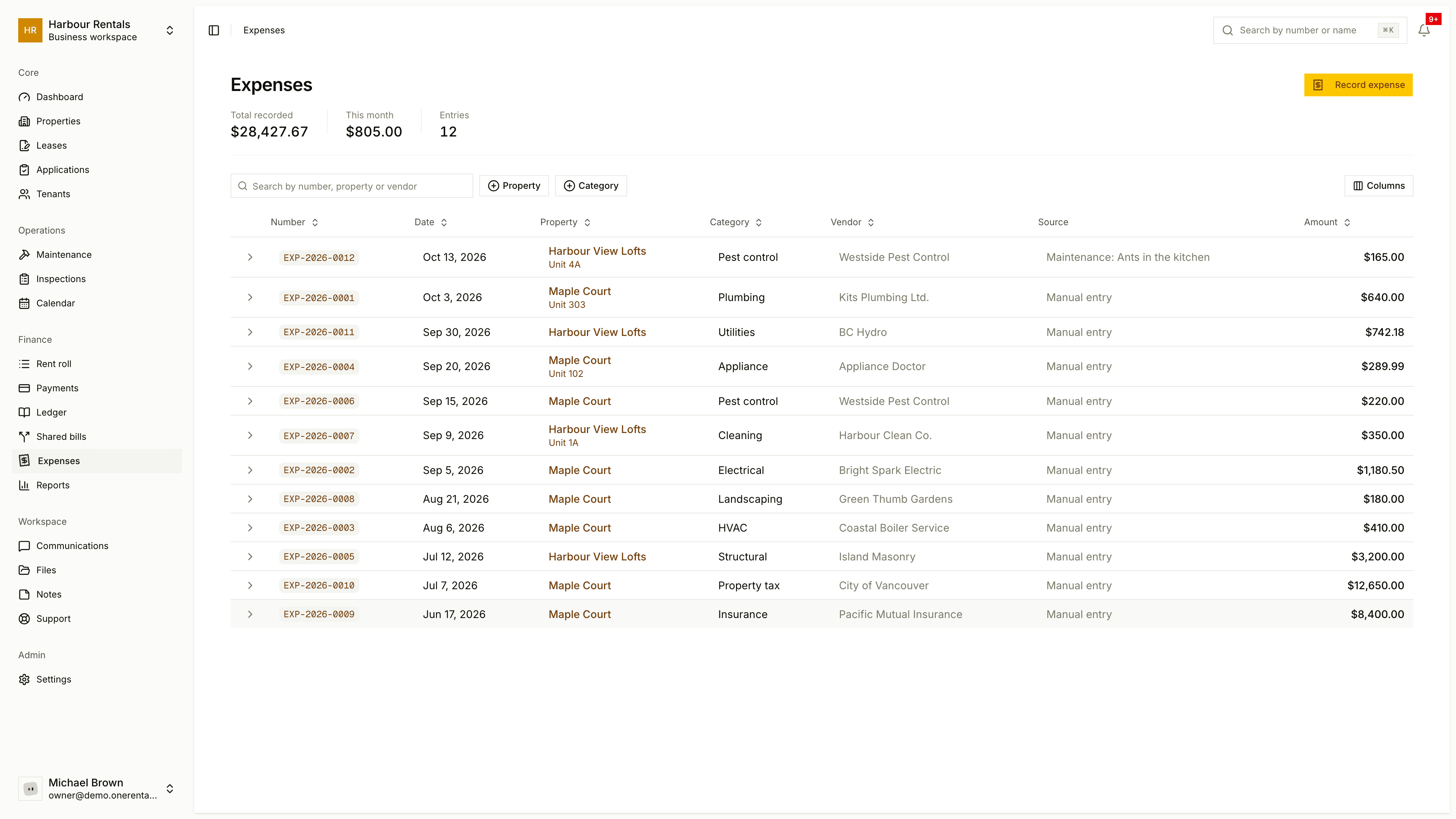
Go to Expenses and click Record Expense.
Choose the Property. If the cost belongs to one unit, pick the Unit too; otherwise leave it on Whole property.
Choose a Category and enter the Amount and Expense Date.
Add the Vendor and a Description if you like, then save.
What you see
The top shows Total Recorded, This Month and the number of Entries. The table lists each expense with its number, date, property, category, vendor, source and amount. Source says Manual entry or names the maintenance job the cost was recorded against.
Your expenses feed the income statement, cash flow and maintenance spend reports.
Other ways to add an expense
You can record a cost straight from a repair (see Record an expense against a job), and a utility bill you split between tenants can be added as an expense at the same time (see Split a shared bill).