Quiet mode
Pause automatic tenant email while you enter old records, so nobody gets a flood of messages.
If you're entering past leases and payments, turn on quiet mode first. Otherwise your tenants could get a burst of emails about things that happened months ago.
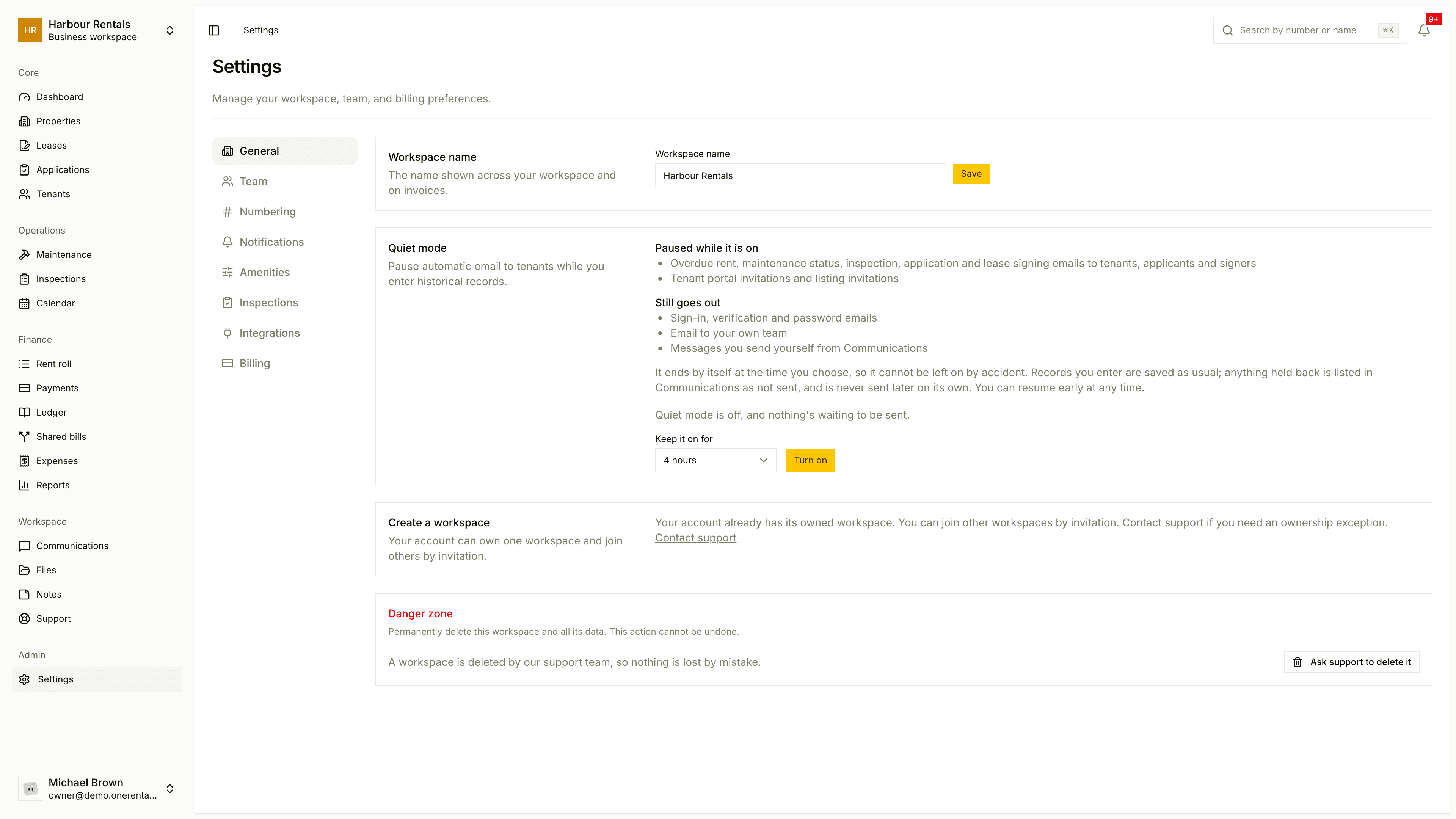
Turn it on
Open Settings and find Quiet mode on the General page.
Under Keep it on for, choose how long: 1 hour, 4 hours, 24 hours or 7 days.
Click Turn on, then enter your records as usual.
It turns itself off when the time's up, so you can't forget and leave it on. If you finish early, click Resume notifications now.
Only the owner can turn quiet mode on or off, but everyone in the workspace sees a banner while it's on.
What's paused and what isn't
Paused: overdue rent, maintenance status, inspection, application and lease signing emails to tenants, applicants and signers, plus portal and listing invitations.
Still sent: sign-in, verification and password emails, emails to your own team, and messages you send yourself from Communications.
Held notices
Anything held back shows in Communications as "Not sent: quiet mode was on". Turning quiet mode off doesn't send them. If you want one to go out, select it in the list and click Send selected. See Notices held by quiet mode.
To stop a particular kind of notice for good, switch it off in notification settings.