Numbering
Choose how your leases, invoices, receipts and other records are numbered.
Every lease, invoice and receipt gets a number you can quote to a tenant, and you can shape those numbers to match how you already keep your books. Only the workspace owner sees this page.
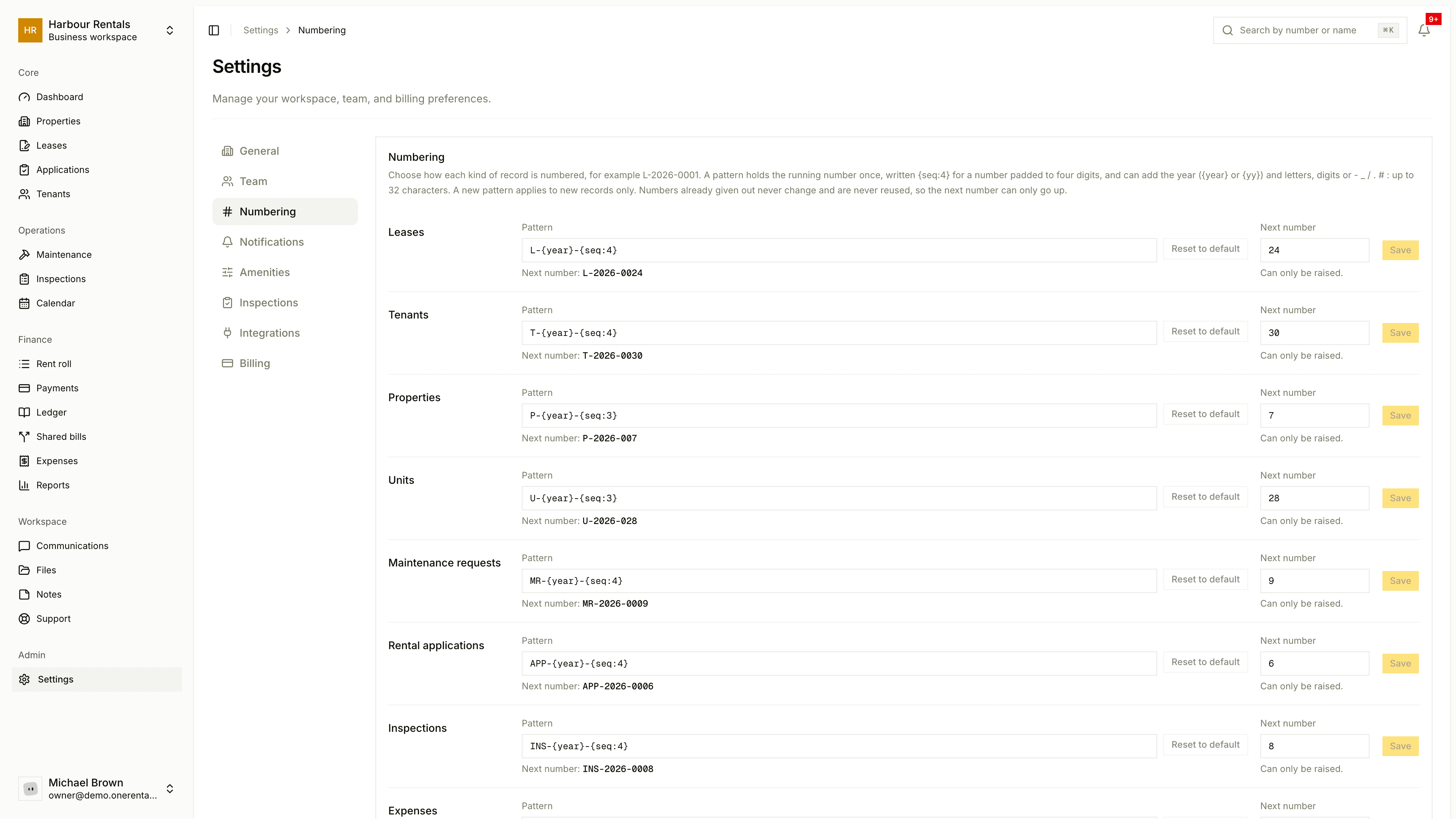
Change a pattern
Open Settings, then Numbering. Each kind of record has its own row: Leases, Tenants, Properties, Units, Maintenance requests, Rental applications, Inspections, Expenses, Payments and receipts, Rent invoices and Dwellings.
Edit the Pattern. It needs exactly one {seq:n}, which is the counter padded to n digits. You can add {year} or {yy}, plus letters, digits and these marks: - _ / . # :
Click Save.
For example, L-{year}-{seq:4} gives you numbers like L-2026-0001. A pattern can be up to 32 characters.
Changes only apply to new records. Numbers you've already given out stay as they are.
Set the next number
Next number is the number the next record will get. Handy if you're carrying on from an old system. You can raise it but never lower it, so a number is never used twice.
Start over
Reset to default puts the standard pattern back. It doesn't touch the next number.