Workspace settings
Rename your workspace and find the rest of the settings in one place.
Your workspace is home to your properties, tenants and money records, and Settings is where the owner looks after it.
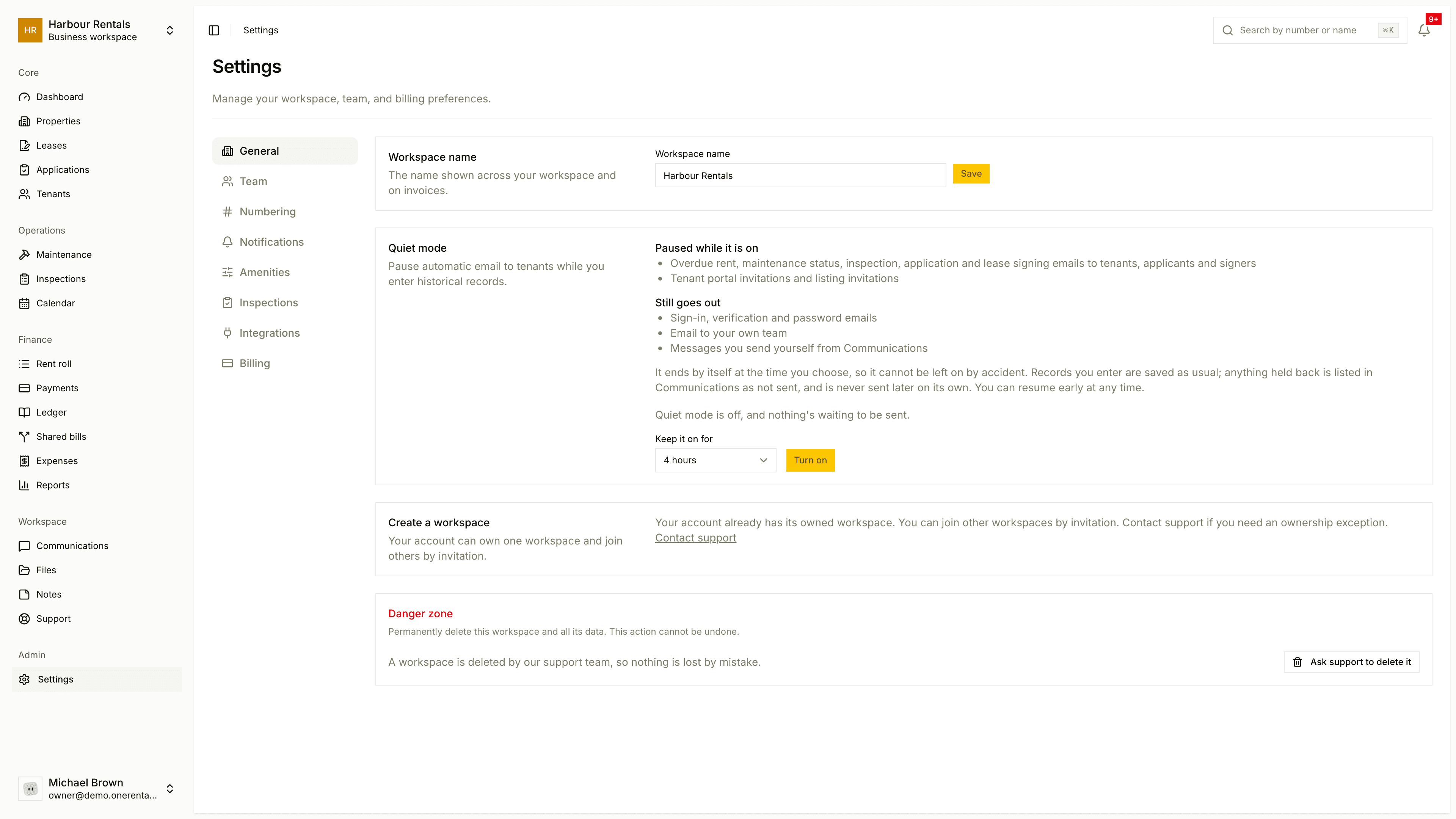
Rename your workspace
Open Settings. You'll land on General.
Under Workspace name, type the new name and click Save.
The name shows up across your workspace and on invoices.
What's in Settings
As the owner, you'll see these pages down the left side:
- General: workspace name, quiet mode and creating another workspace.
- Team: invite and manage people.
- Numbering: how records are numbered.
- Notifications: which notices go out.
- Amenities, Inspections: features and inspection preferences.
- Integrations: outside services.
- Billing: your plan.
Managers and members only see General and Inspections.
Create another workspace
If your account can own a workspace, use Create a workspace on General. An account can own one workspace and join others by invitation, so if you've already used yours, the page says so and links to support.
Delete a workspace
The Delete workspace button is switched off. Deleting a workspace wipes all of its data for good, so we handle it through support. Get in touch and we'll take care of it.