Send a lease for e-signing
Collect everyone's signature online and follow who has signed.
Skip the printing and scanning. Send the lease and each person signs from their phone or computer, while you watch who's done and who needs a nudge.
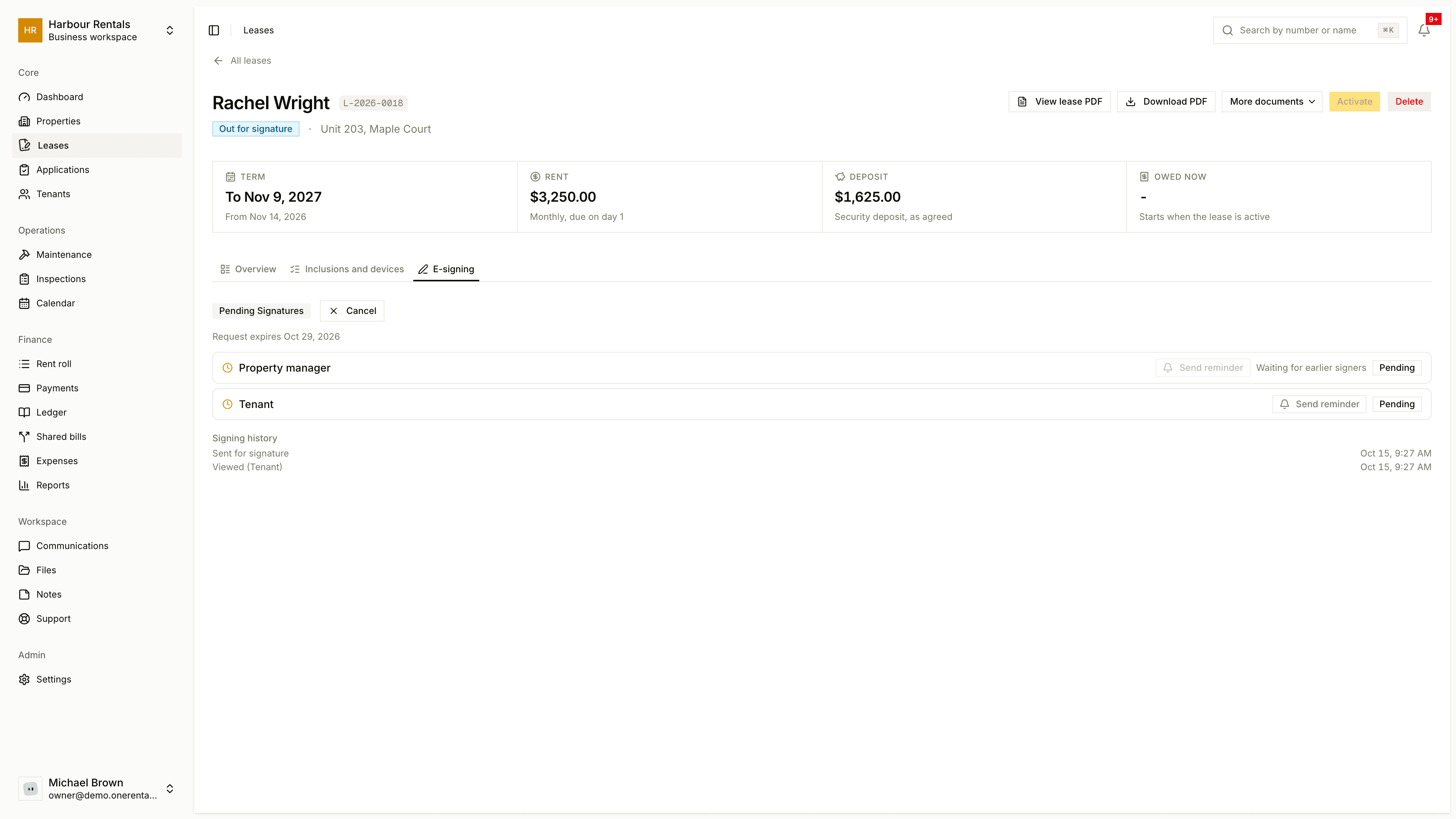
Send it
Check that every tenant on the lease has been invited to the portal. See Invite a tenant to the portal.
Open the lease and go to the E-signing tab. You'll see it on drafts.
Click Send for signature.
Who signs, and in what order
You sign first, then each tenant, then the owner if you asked for that. We email each person when it's their turn, or everyone at once if you picked Parallel on the lease's Send step. The tab shows where each person is: pending, signed or declined.
Follow along
Send reminder emails someone who hasn't signed yet. It's greyed out for anyone whose turn hasn't come.
Requests expire after 14 days, and the tab shows the date. Once everyone's signed, the tab says All parties signed, the lease becomes active and Download signed PDF appears.
In the rare case everyone signed but the lease couldn't become active, you'll see Activation failed, retry. Click it.
If something changes
- Cancel stops the request. You can send it again later.
- If someone declines, the tab shows their reason. Sort out the issue, then click Reset & Resend.
- If the request expired, Reset & Resend starts a fresh one.
What your tenant sees
They get an email, sign in to the portal and read the lease. They draw or type a signature and click Finish & Submit. They can also Decline and tell you why, and you'll hear about it.
In BC, everyone signs in the standard form's own signature blocks. If you signed an agreement on paper instead, you can bring it in by uploading it. See The lease agreement.