Schedule an inspection
Book a move-in, move-out or routine inspection and choose its checklist.
Schedule the inspection, pick a checklist, and you're ready to let the tenant know when to expect you.
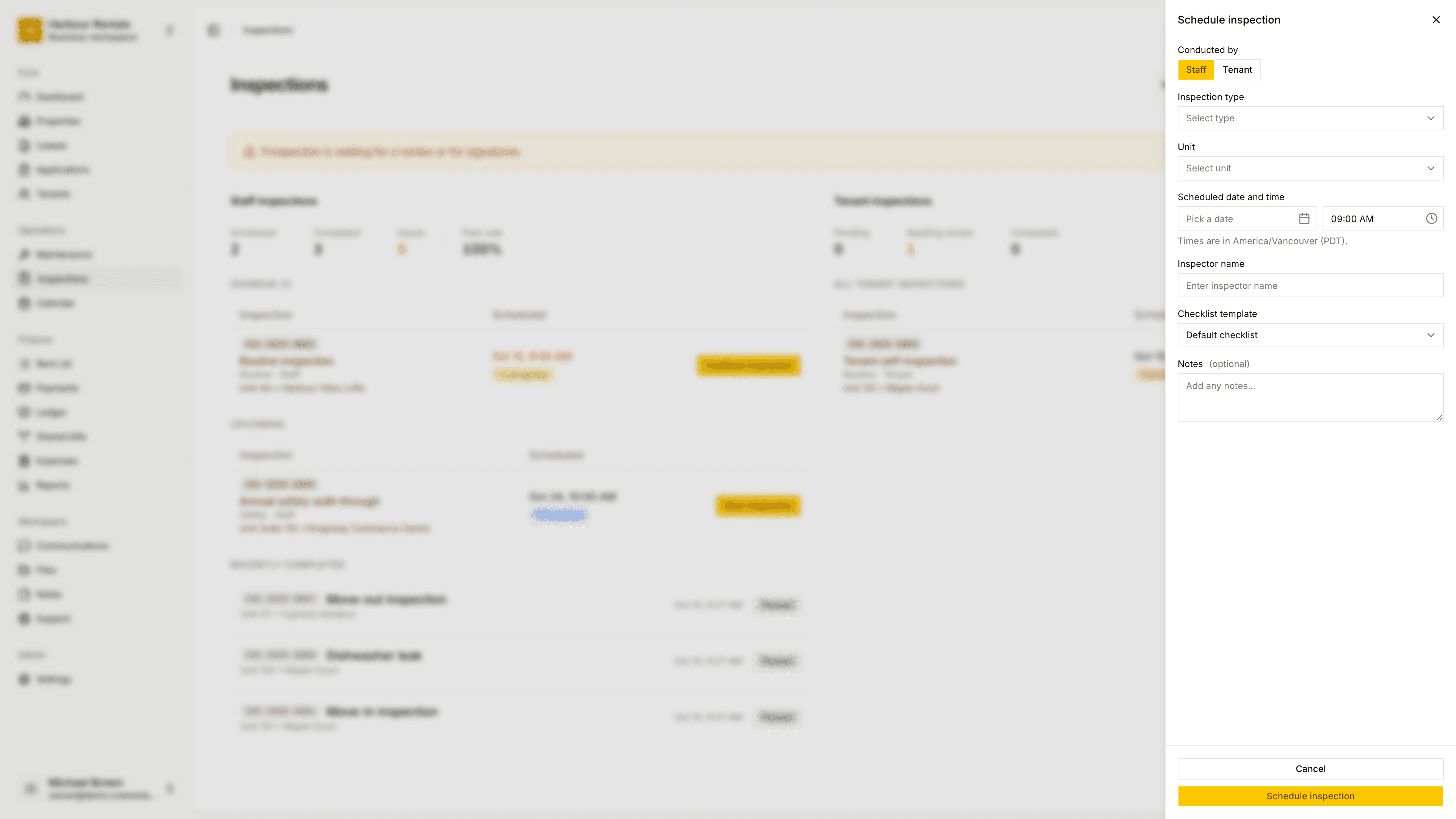
On the Inspections page, click Schedule Inspection. You can also start one from a lease.
Under Conducted By, choose Staff, or Tenant for a self-inspection.
Pick the Inspection Type (Move-in, Move-out, Routine, Maintenance, Safety, Emergency or Self-inspection), then the Unit.
For a move-in or move-out, choose the Lease. Then set the Scheduled date and time. That's the first time you're offering the tenant.
Under Signs for the landlord, choose who's representing you. If the tenant's sending an agent, add their name too.
Pick a Checklist Template or leave it on Default checklist. Add notes if you like, then click Schedule Inspection.
For a move-in or move-out, the panel recommends the standard form checklist (RTB-27), and that's the one to use. You'll also need your landlord details filled in first. If they're missing, we'll point you to Owners and the landlord.
If you schedule a move-in a long way from the lease start, you'll get a warning, but it won't stop you. You can change how far is too far under Inspection settings.
Build the checklist from the unit
Tick Use a checklist built from this unit and the rooms are filled in from the unit's bedrooms, bathrooms and amenities. You'll see the list of rooms before you save.
Scheduling a room
When the unit's a room in a shared house, the panel shows Shared areas to include, with every shared space linked to the room ticked. Untick any you'd rather leave out. The report covers the room plus each area that's ticked.
Once it's scheduled, the next step is to offer the tenant times.