Conduct an inspection
Walk through the home on a phone or tablet, room by room.
On inspection day, open the inspection on your phone or tablet and walk through the home, recording what you see as you go.
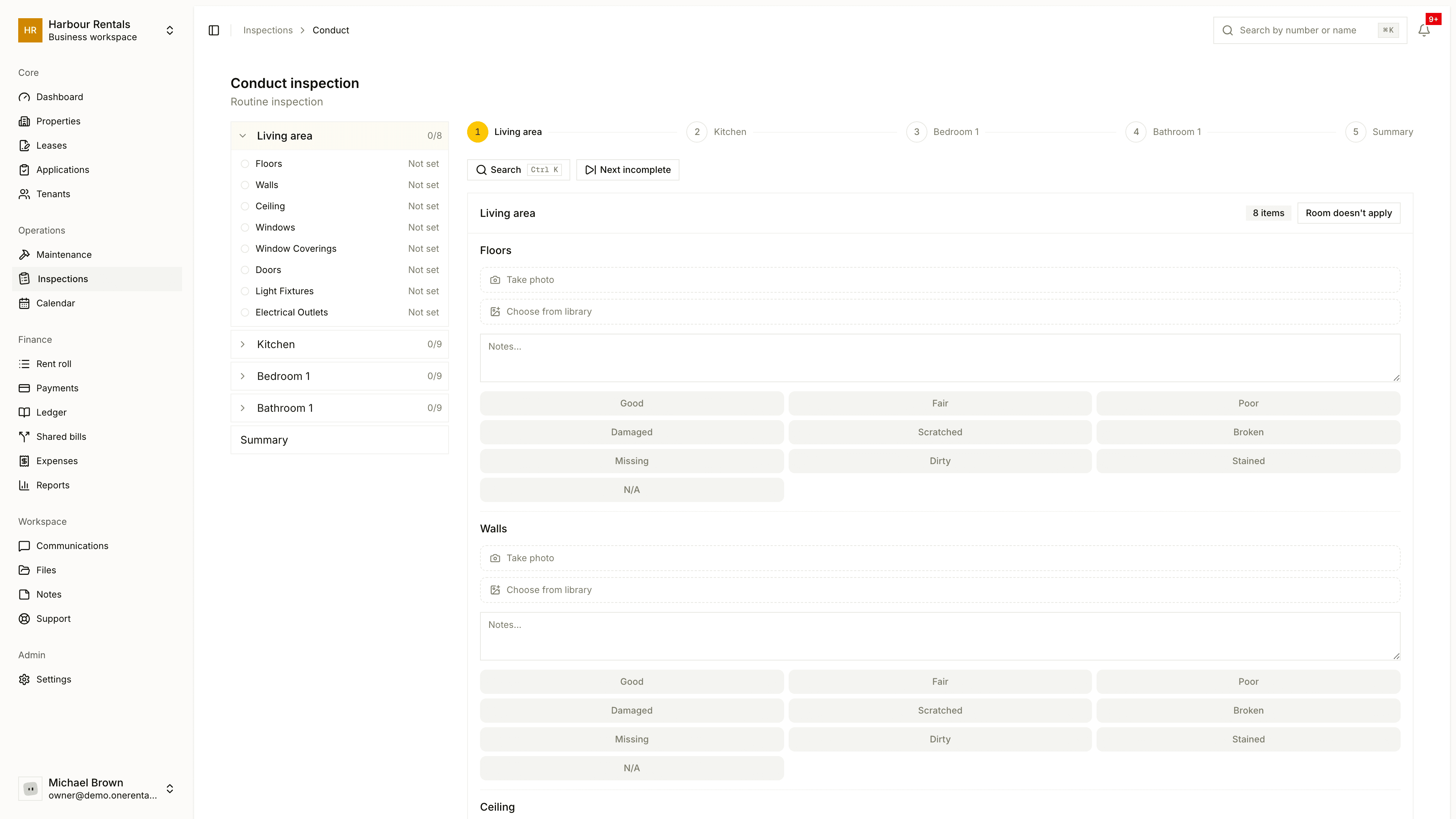
Do the walk-through
Open the inspection and click Start inspection. If you've already started, it says Continue inspection.
Work through the rooms. Give each item a condition: Good, Fair, Poor, Damaged, Scratched, Broken, Missing, Dirty, Stained or N/A, and add a note where it helps.
Take photos as you go. Click Take photo to use your camera, then Use photo, or pick one from your library. You can draw on a photo to point out the problem.
If a room doesn't apply, skip it with Room doesn't apply.
On the Summary step, record the keys, an overall rating if you want one, and a short summary. Then click Finish Inspection.
Your work saves as you go, so you can stop and pick it up later. If photos won't work, check that your browser's allowed to use the camera.
Getting around
- Rooms jumps to any room or item.
- Search finds an item quickly. On a keyboard, press Ctrl K.
- Next incomplete takes you to the next item that doesn't have a condition yet.
The summary step
- Keys. Record each type of key handed over and, at move-out, handed back.
- Overall Rating. Mark the home Passed or Failed, if you like.
- Attendance. Note whether the tenant or their agent came in person. Joining by video doesn't count.
- Deductions. On a move-out, list what comes off the deposit. See Deposit deductions on a move-out.
Once you finish, the report is locked and goes to the tenants to sign. See Finish the report and collect signatures.