The public listing and map
See what renters see, from the listings page to the map.
Here's what renters see when they look at your listing, and what stays private.
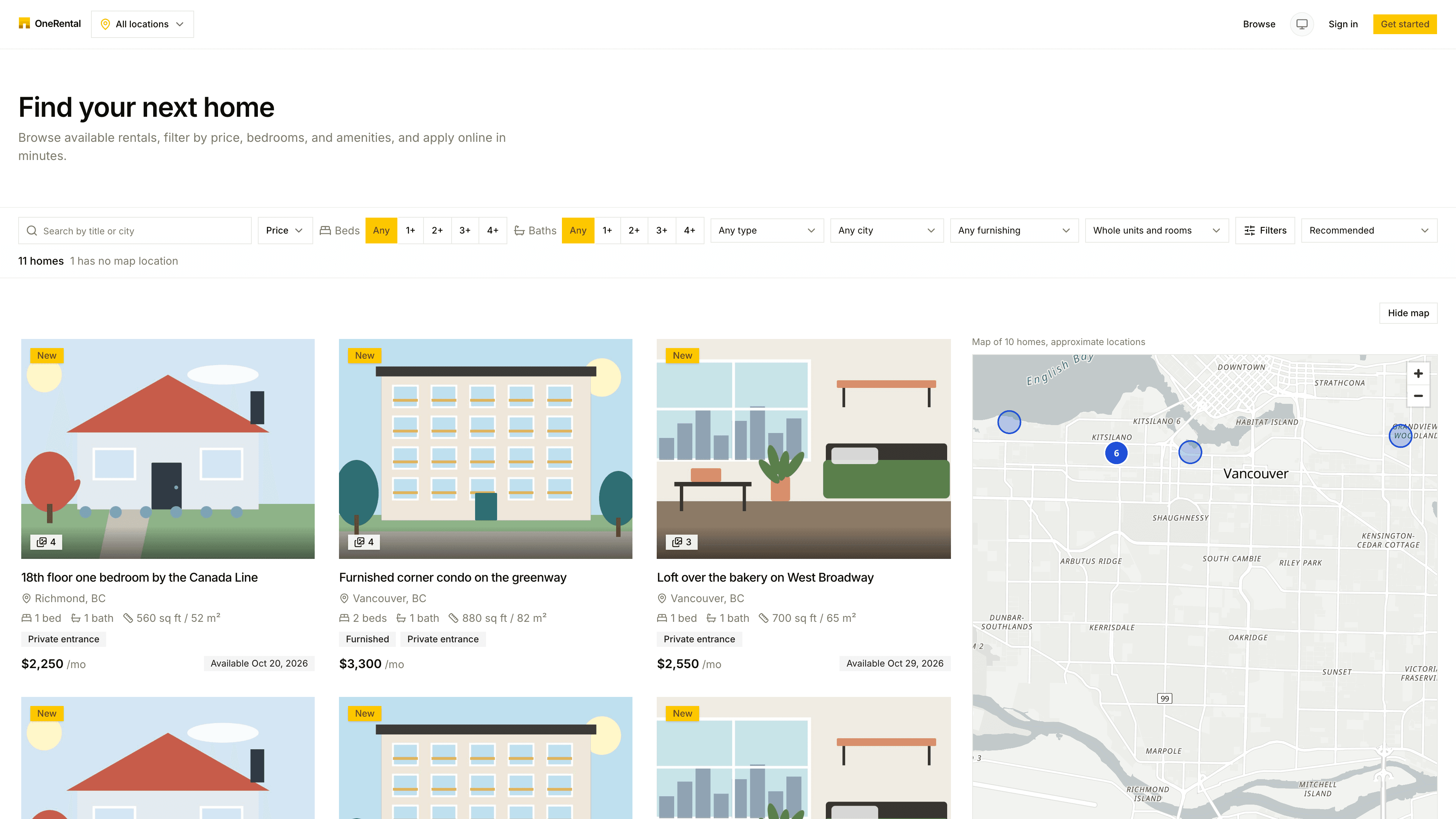
The listings page
Renters can search by title, description or city, and narrow things down by:
- Price, beds, baths, property type and city.
- Furnished or not, and a private entrance.
- Whole units or rooms.
- Amenities such as pets, parking, laundry and utilities.
- Available-by date.
They can sort by price, bedrooms, size or newest, and switch between a list and a map. Only Public listings show up here. Private and invite-only ones are reached through their link. See Public, private and invite-only listings.
The listing itself
A listing shows your photos, title, description and the unit's facts, along with Amenities and Devices in this rental (safety devices and any monitoring devices, with where they are and why). A room listing also says what the room shares with other rooms, as a count only. It never names other tenants or rooms.
The amenities and devices come straight from the unit, so keep them current. See Amenities and devices.
Interested renters answer a few quick questions right on the listing page, and their answers arrive on your Applications board.
The map
The map never gives away the address. Each listing is pinned at an approximate spot, and the page tells renters so: "Approximate location. The exact address is shared when you apply." The street address and exact pin aren't shown, and a listing whose address you typed in by hand doesn't get a map at all.
Renters can move the map around and click Search this area to see what's there.