Add a property
Add a property, its units and your first listing in one guided flow.
The guided flow adds the property, its units and, if you want, your first listings in one go.
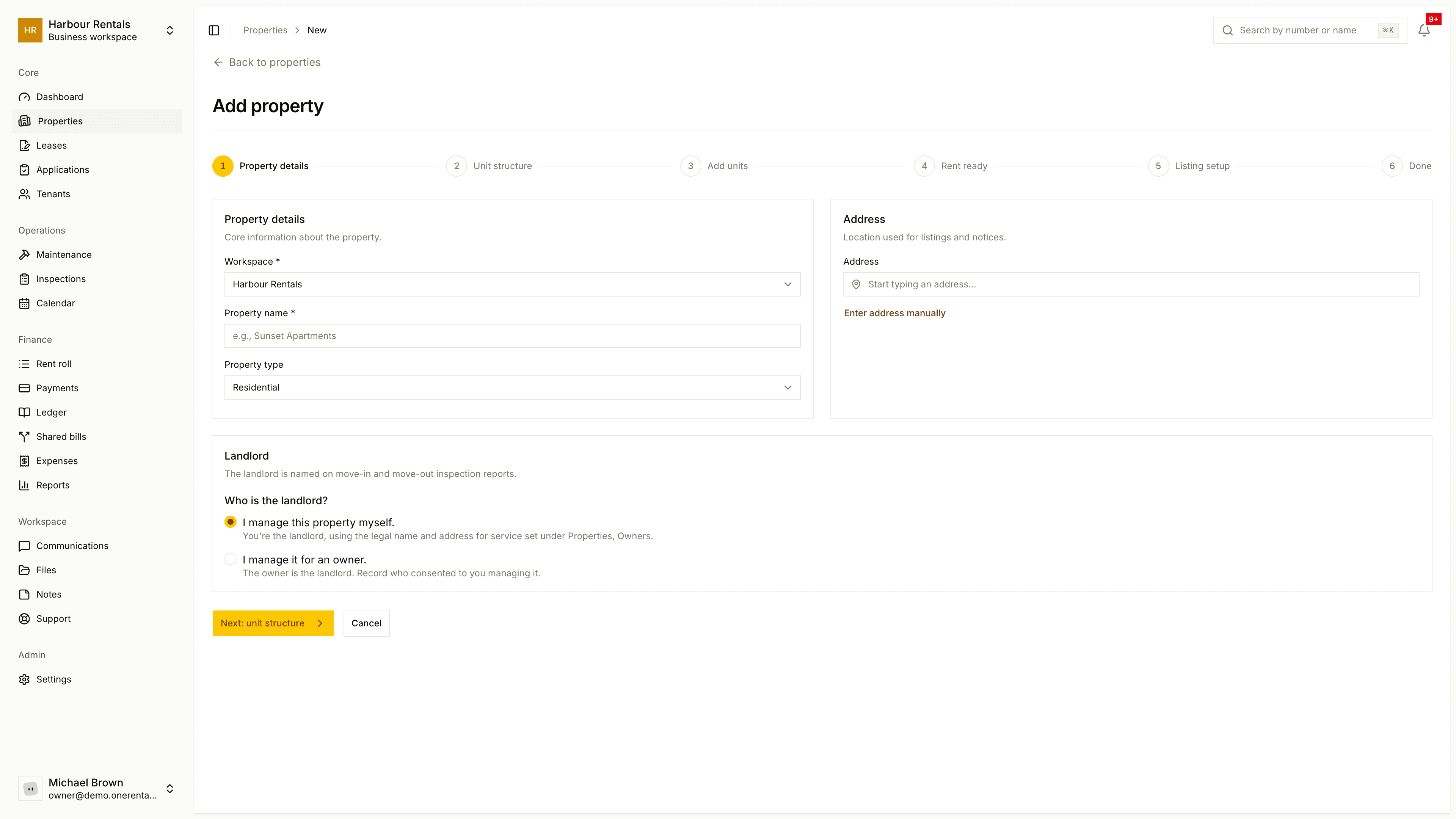
Open Properties and click Add Property.
Property details. Choose the workspace, enter the property name and pick the type: Residential, Commercial, Mixed Use or Industrial. Search for the address, or type it in yourself.
Landlord. Choose who's named as the landlord on inspection reports: you, or an owner you manage for. You can add a new owner right here. See Owners and the landlord.
Unit structure. Pick Multiple units, Single property or Rooms in a dwelling.
Add units. Give each unit or room a number, with bedrooms, rent and deposit.
Ready to list? Choose which units to list now and give each a title and description. Or click Skip - Go to property and list them later.
Not sure how many units to add? Count the spaces you rent separately. A house you rent as a whole is one unit. A duplex or an apartment building has one unit per rentable space.
If you need to delete a property later, it has to be empty first. Remove its units, then use the delete button next to the address on the property page.