Requests from tenants
How your tenants report problems from their portal, and what you receive.
Tenants can report a problem from their portal at any hour, and it lands in your queue straight away. Good photos and a clear description can save you a trip.
What your tenant fills in
In the portal's Maintenance section, under Submit a Request, they choose:
- the Lease (if they have more than one)
- a Title and Description
- a Category and a Priority
- an Entry preference: Entry allowed, Do not enter without me or By appointment
- a Preferred date and up to 5 Photos (both optional)
The entry preference tells you whether you can go in when they're not home. Tenants in a shared house also see What is it about, so they can pick their room or a shared space.
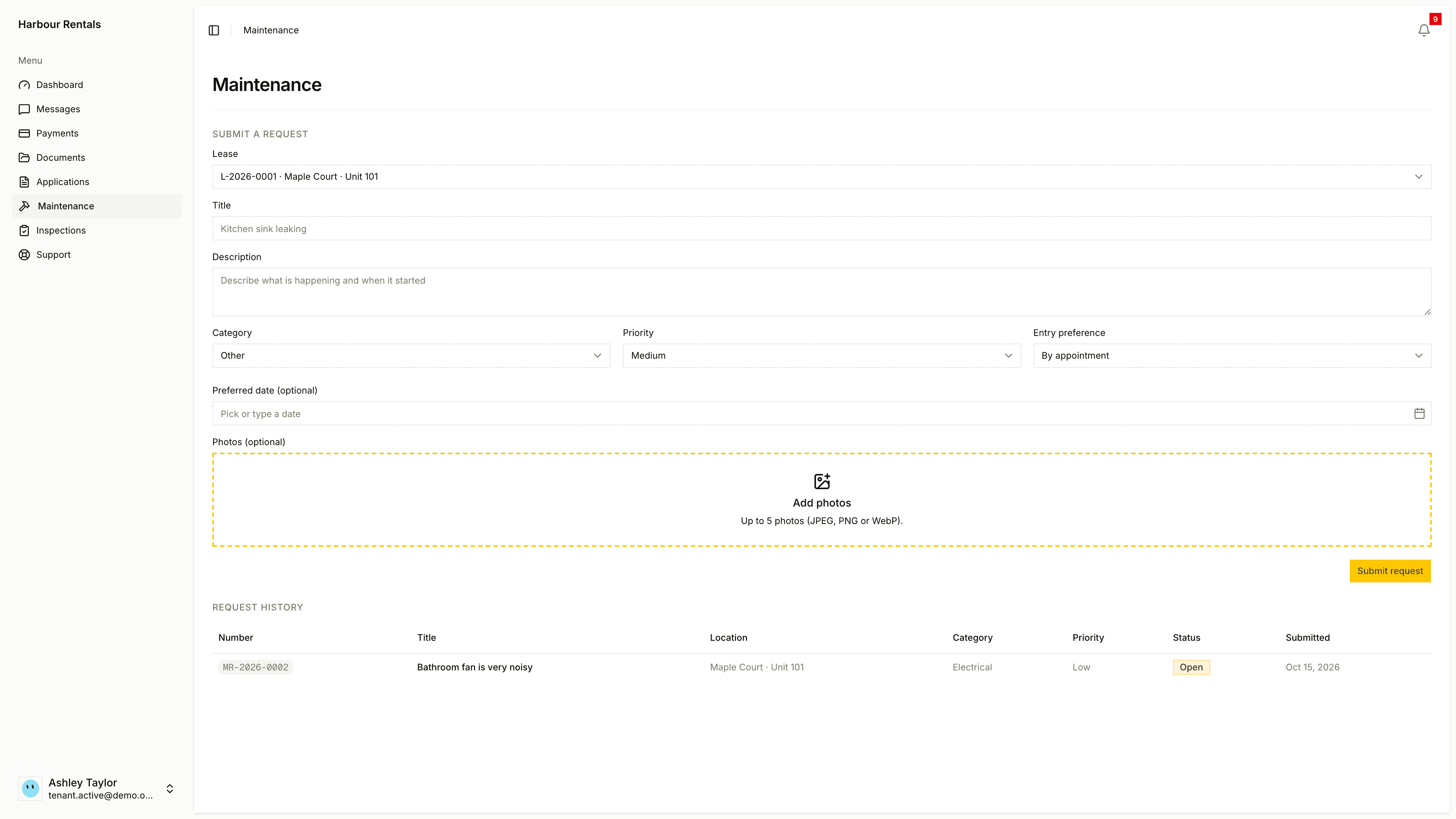
What your tenant sees
Their Request History lists each request with its number, location, category, priority and status. Your internal details stay private.
Who can send one
Only the primary tenant on a lease can send a request. Co-tenants can see the requests on their lease but can't file their own.
Urgent requests
When a tenant marks a request Urgent, your team gets an email right away. It's worth telling tenants to save it for real emergencies: no heat, a leak, a broken lock.
If you need to follow up with a tenant about a request, email them from Communications. Your tenants have their own guide: Ask for a repair.