Create a task yourself
Log a repair or a job you spotted, without waiting for a tenant to report it.
Spotted a dripping tap on a walk-through, or need to book the furnace service? Add it yourself and it's tracked like any other request.
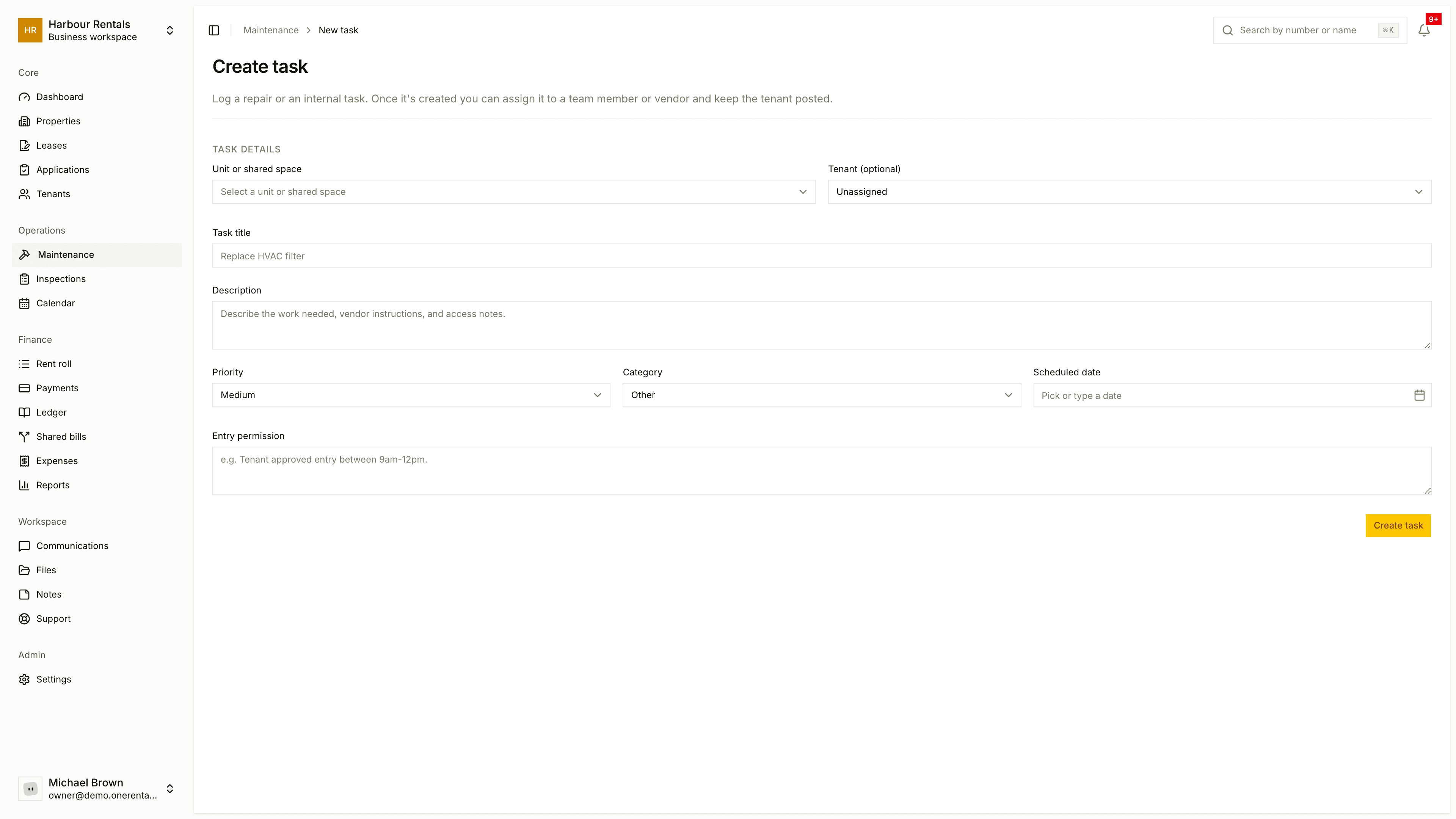
Go to Maintenance and click New Task.
Choose the Unit or shared space. This one's required (see Problems in a shared space for shared areas). Add a Tenant if it affects one, or leave it Unassigned.
Enter a Task title and a Description. Say what's needed, and add any vendor or access notes.
Set the Priority, Category and a Scheduled date. Use Entry permission to note when someone can go in.
Click Create task.
If you link a tenant, they'll get status updates by email.
The task shows up in your list like any other request, so you can assign it and record its cost when the time comes.