The tenant page
Everything about one tenant, from their lease to their messages.
Open a tenant to see where they live, what they owe and everything that's been said, all on one page.
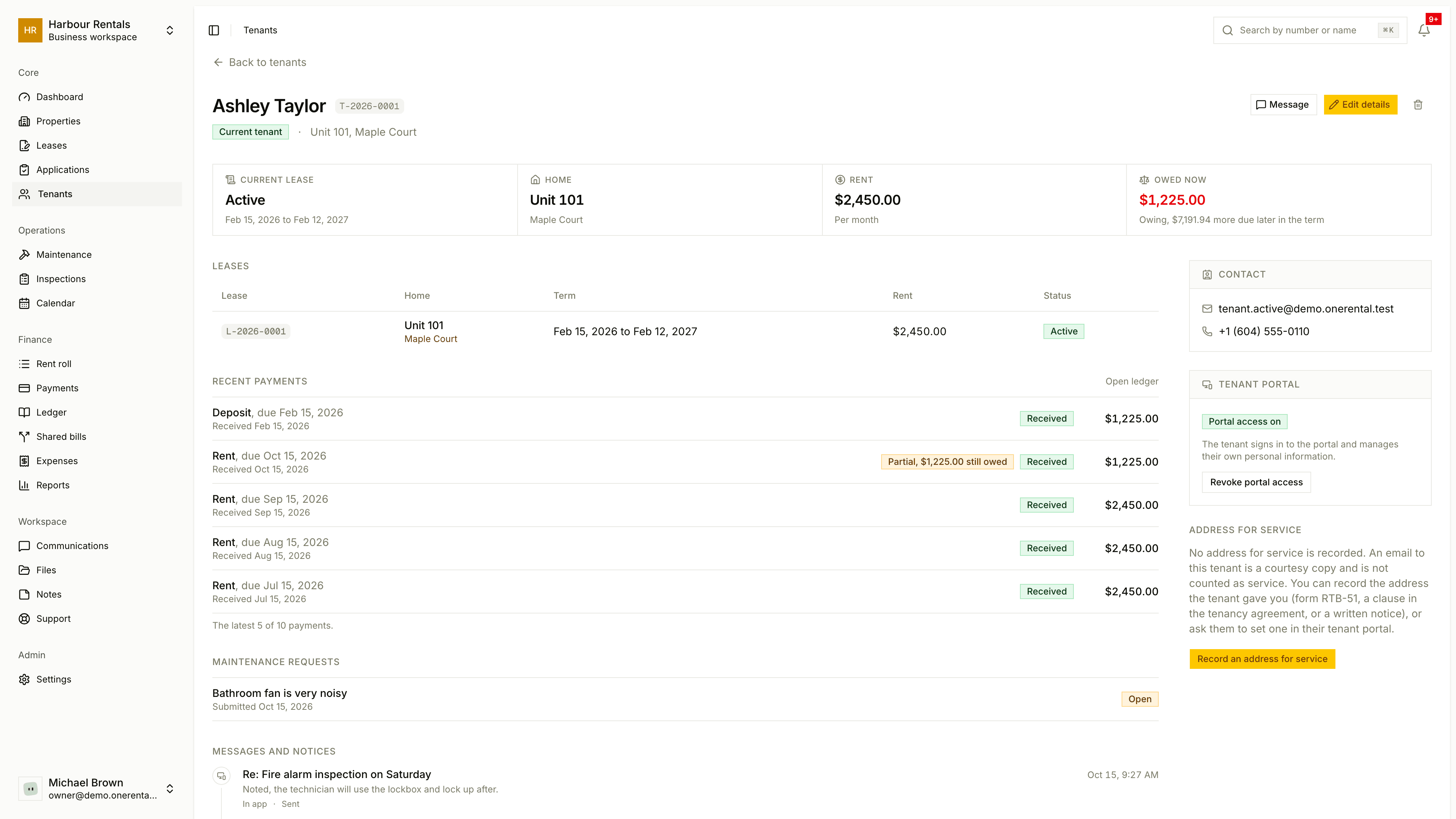
Across the top
You'll see the tenant's name and status (Prospective, Current tenant, Former tenant or Inactive), then four quick facts: their Current lease, Home, Rent and Balance.
The main sections
- Leases. Every lease they've been on, with the term, rent and status. Click one to open it.
- Recent payments. Their latest payments. Click Open ledger to see the whole account.
- Maintenance requests. What they've asked for and how it went.
- Messages and notices. Every email and notice sent to them, in order.
The side panel
- Contact. Their email and phone numbers.
- Tenant portal. Whether they have access. See Invite a tenant to the portal.
- Address for service. Where legal notices can go. See Address for service.
- Internal notes. Your own notes. The tenant never sees these.
Change their details
Click Edit details. A panel opens with contact details, personal information, tenancy status and your notes. Save when you're done.
Who edits what depends on the portal. Until a tenant accepts their invitation, you manage their personal details, and that's the only time you'll see things like their date of birth, ID and emergency contact. Once they've accepted, they look after those themselves. You still manage the tenancy, leases, payments and notes either way.