Find anything fast
Jump to a lease, tenant, property or request with the search box.
If you know what you're after, type a record number or a name into the search box at the top of any page and jump straight to it.
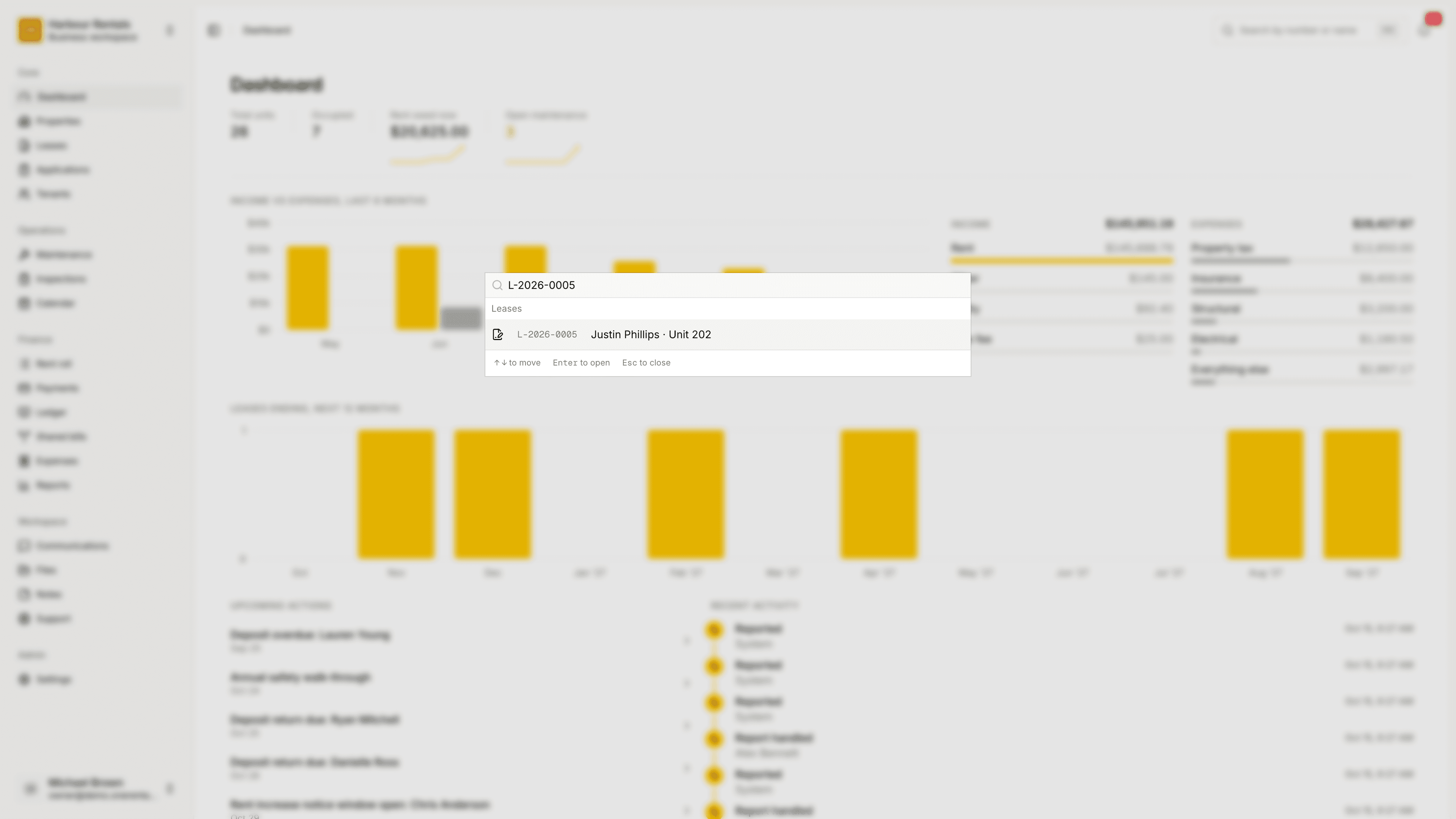
Click the search box at the top of the page. It says Search by number or name.
Type at least two characters. Results show up under the box as you type.
Click a result, or press Enter to open the first one. Esc closes the list.
Record numbers
Almost everything you create gets its own number, like L-2026-0001 for a lease. The letters at the front tell you what it is:
| Starts with | It's a |
|---|---|
| L- | Lease |
| T- | Tenant |
| P- | Property |
| U- | Unit |
| MR- | Maintenance request |
| APP- | Rental application |
| INS- | Inspection |
| EXP- | Expense |
| PAY- | Payment |
| INV- | Rent invoice |
You don't have to type it exactly. Capitals and spaces don't matter, so l 2026 0001 finds the same lease as L-2026-0001. Numbers are handy in emails and on documents too: quote one to a tenant or a colleague and they can find the exact record.
Searching by name
Tenants come up by name or email, properties by name or street, and requests, inspections, applications and expenses by their title, applicant or vendor.
You'll only see results from the workspace you're in. To search another one, switch to it first.