The calendar
See showings, inspections, rent due dates and lease dates in one place.
The calendar puts everything coming up in one view, so you can plan your week and not miss a date.
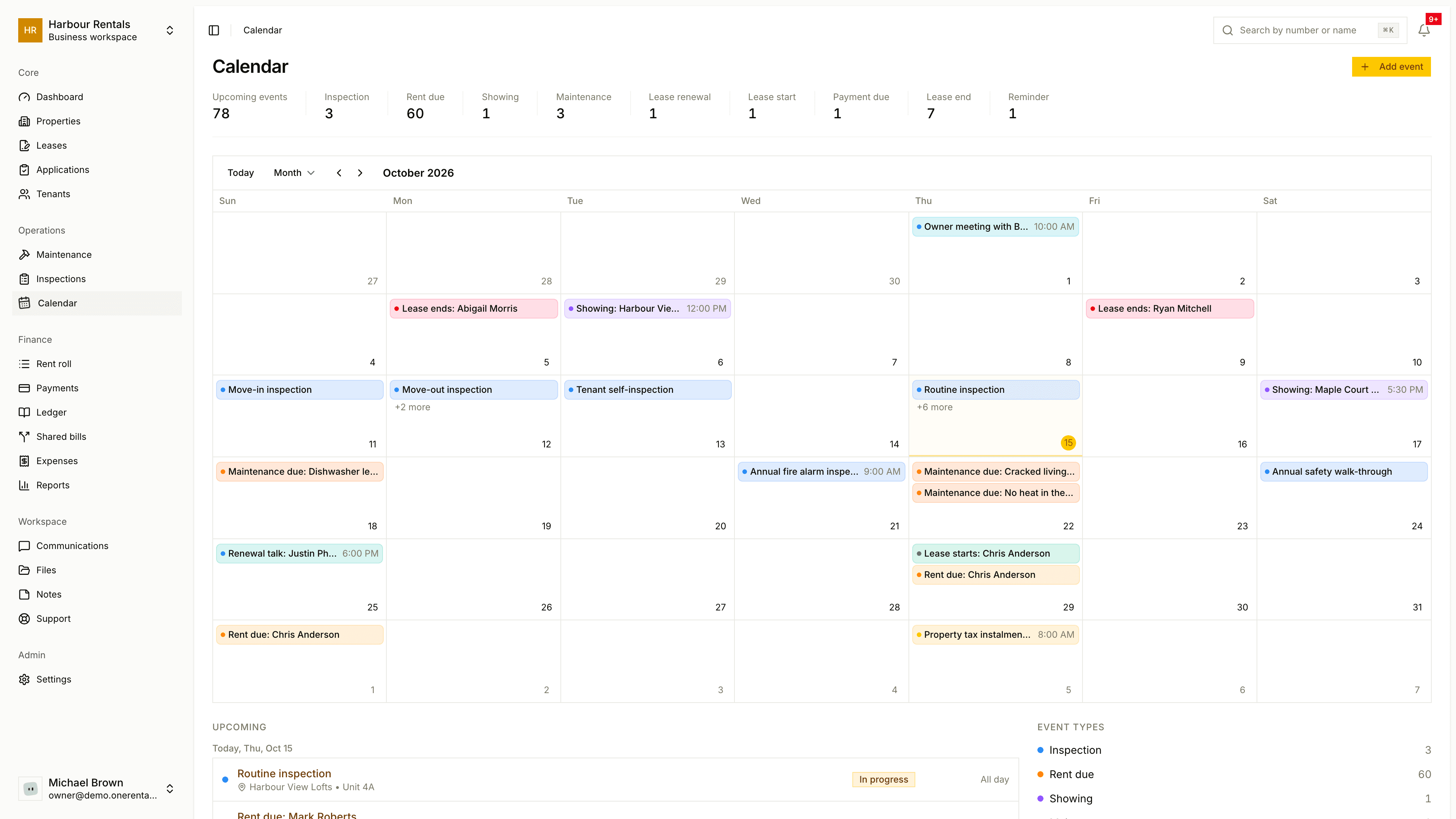
What you see
Go to Calendar. The top counts your Upcoming Events and how many there are of each type: showings, maintenance, inspections, lease renewals, lease starts, rent due, payment due, lease ends and reminders. The month grid's below.
Use Today, the arrows and the Month menu to move around. Click an event to see its details, with an Edit Event button.
Lots of entries appear by themselves, like rent due dates and the start and end of leases. You add the rest.
Add an event
Click Add Event.
Enter a Title, then choose the Type (showing, inspection, meeting, reminder and so on) and the Status.
Set the Start time and End time (the end has to be after the start). Add a Location and Description if you like.
Click Create Event.
An event's status can be scheduled, confirmed, cancelled, completed or no show. When you edit one, click Save Changes, and you'll see a message confirming it was created, updated or deleted.