Browse listings
Find available homes and rooms, no account needed.
Anyone can browse the listings page, so you can have a good look around before signing up for anything.
Start looking
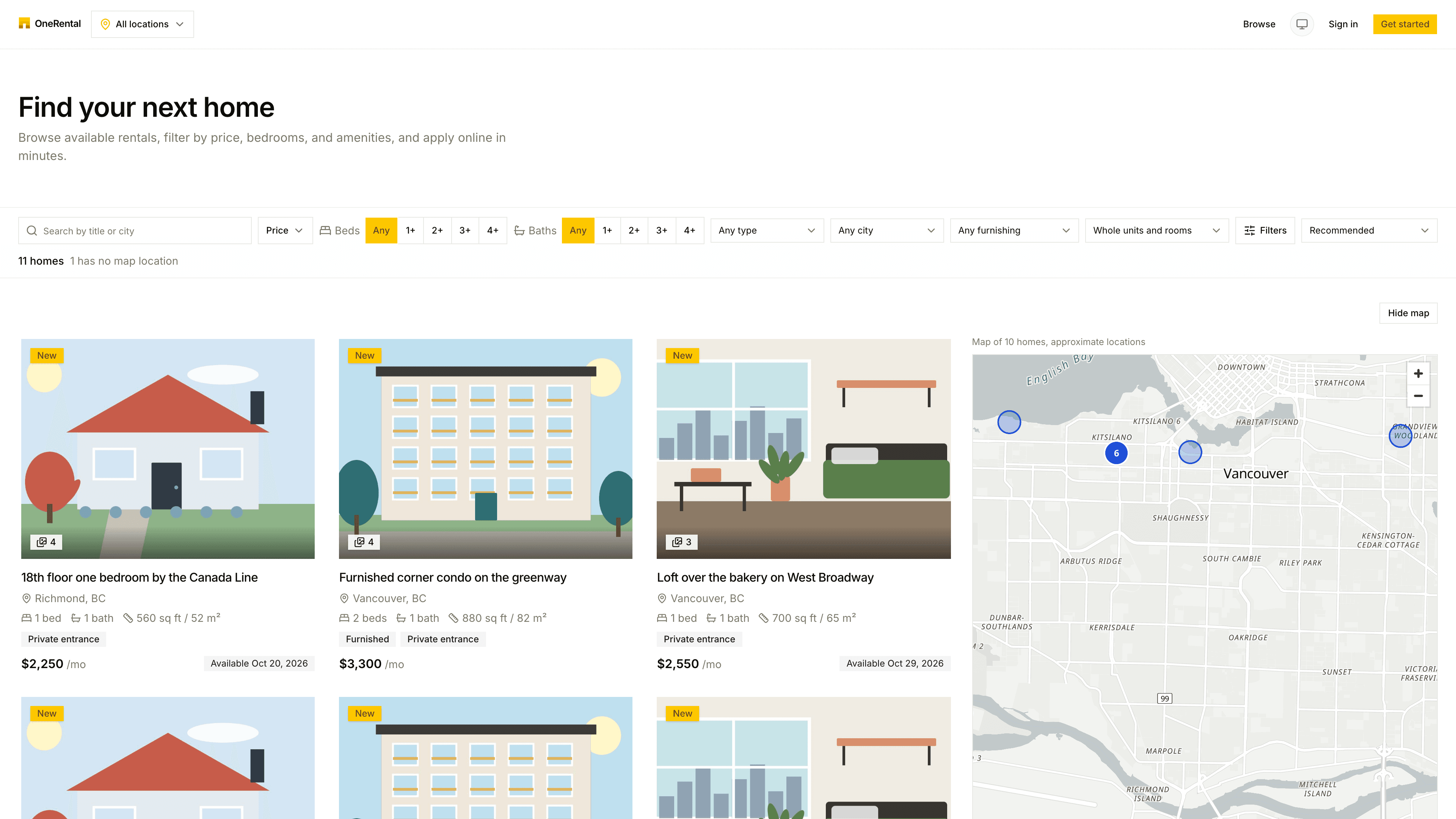
Click Browse in the top bar, or open the listings page. The heading says Find your next home.
Search by title, description or city, or use the quick choices: Price, Beds, Baths, property type, city and furnishing.
Use Whole units and rooms to see everything, just whole homes, or just rooms in shared homes.
Change the order with the sort menu: Recommended, Price low to high, Price high to low, Most bedrooms, Largest first, Smallest first or Newest.
The count under the filters, like "12 homes", tells you how many match. For more filters and the map, see The map and filters.
What a card tells you
Each card shows a photo, the title, the city, beds, baths and size, tags like Furnished or Private entrance, the monthly rent and when it's available (Available now, for example). Recently listed homes have a small New badge. Click a card to open the full listing.
Got a link from a landlord?
Private and invite-only homes don't show up in the list, so use the link the landlord sent you.